Services · Drawings
Steel fabrication drawings from your STEP file
Short answer: you send a STEP assembly and a drawing you already use. We send back steel fabrication drawings, one dimensioned cutting drawing per part, in your title block, with the marking code, bevels, thickness, material and quantity. Every part is checked against the 3D model before delivery.
What you send
- A STEP assembly. One file with many parts is fine.
- How you want the files back. A drawing, a cutting list or a nesting you already use, or just a few lines: title block, file names, formats.
- No bill of materials? We build it from the 3D: type and thickness read from the geometry. See the case study.
What is in every drawing
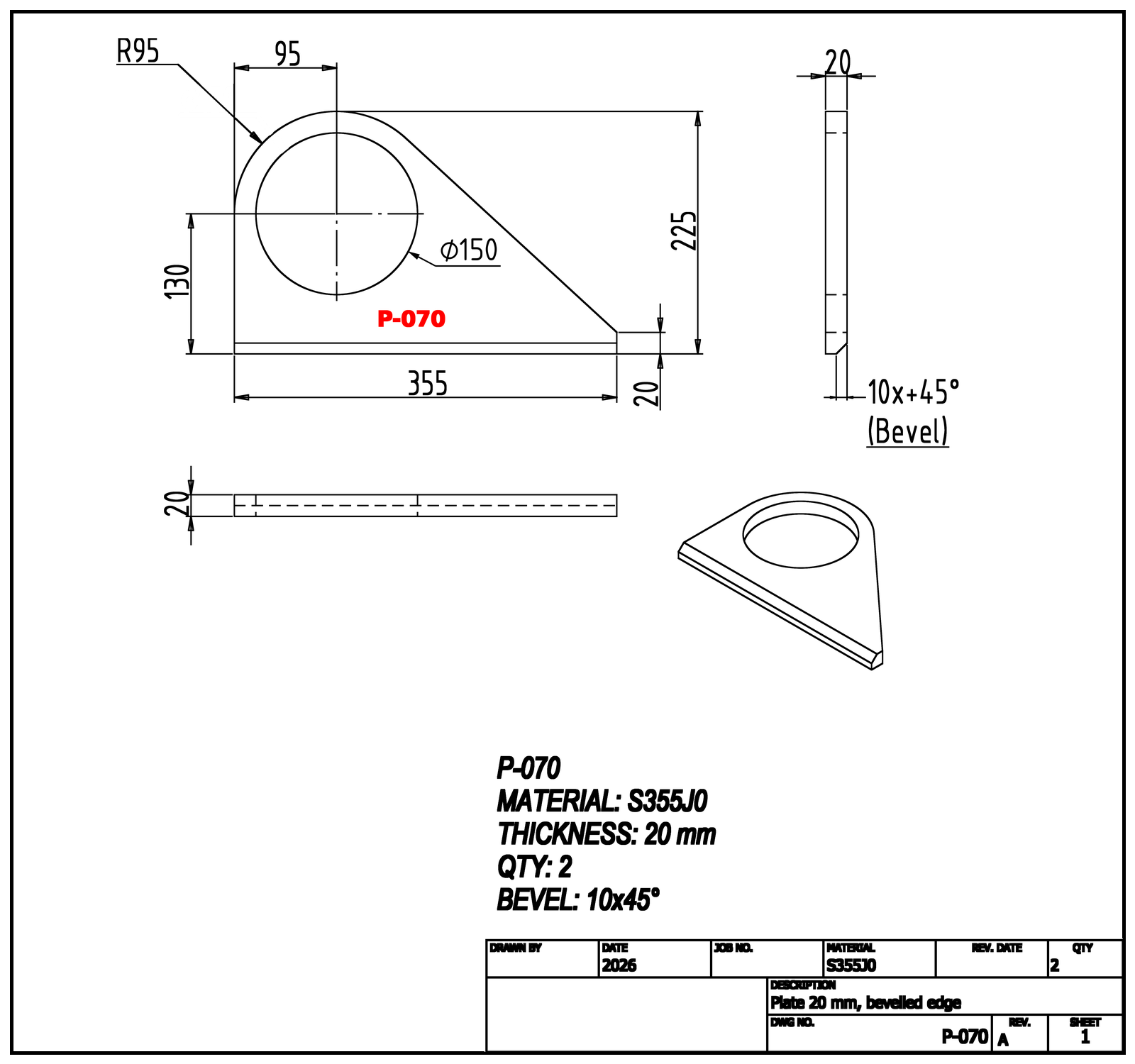
- Every dimension the shop needs to cut the part.
- The part number marked on the plate, and every bevel called out.
- Material, thickness and quantity in the description.
- For bent plates: flat pattern and bend lines.
You get PDF drawings and DXF cutting files. Drawings are also available as DWG or native Inventor files, and a single booklet with every part is available on request.
A real job: 160 hours of drafting, done in 104
Two welded steel assemblies from the same project, with no parts list for their plates. Drawings generated by an iLogic rule, identical parts found by a script, booklet laid out by a script: 266 cutting drawings delivered. 160 hours by hand for the same scope, 104 with StepToCut. Read the case study.
How we check
One system produces the files, a second one checks them. Scripts measure every part against the 3D model:
- Code: matched to the model.
- Thickness: read from the geometry.
- Material: checked against the bill of materials.
- Quantity: counted in every file.
Then a mechanical designer reviews every drawing.
Questions
Can you follow our drawing standard?
Yes. Send us a drawing you already use and we work the same way: title block, file names, layout.
What if the design changes?
Send the new revision. We update the drawings and run every check again.
Is it all done by AI?
No. Software does the repetitive work: drawings, cutting files, checks. An experienced mechanical designer makes the decisions and signs off every delivery.
Are our files confidential?
Yes. We sign an NDA before you send any file.
See also: Put us to the test.